

How to set up Slack integration
1
Click "Notifications"
2
Click the "Slack Integration" tab
3
Click on the "Integrate" button.
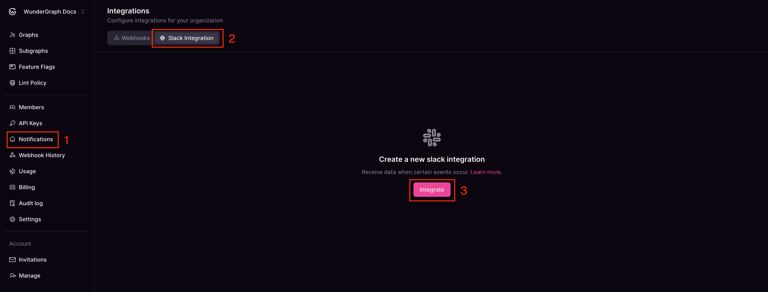
Navigating to Notifications: Slack integration
4
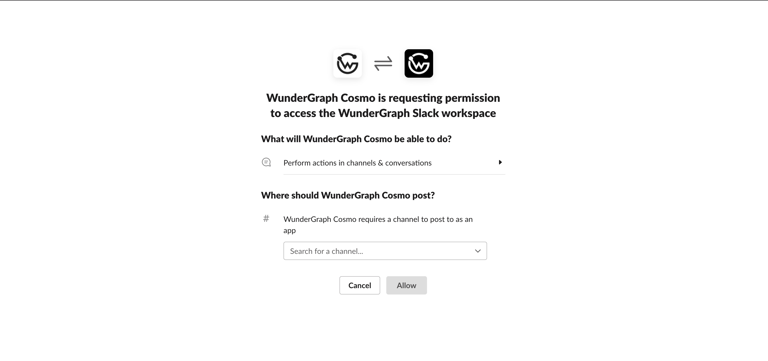
Select the channel where you want to receive messages and click on the "Allow" button.
5
Give a name to the integration and select the events about which you wish to be notified.
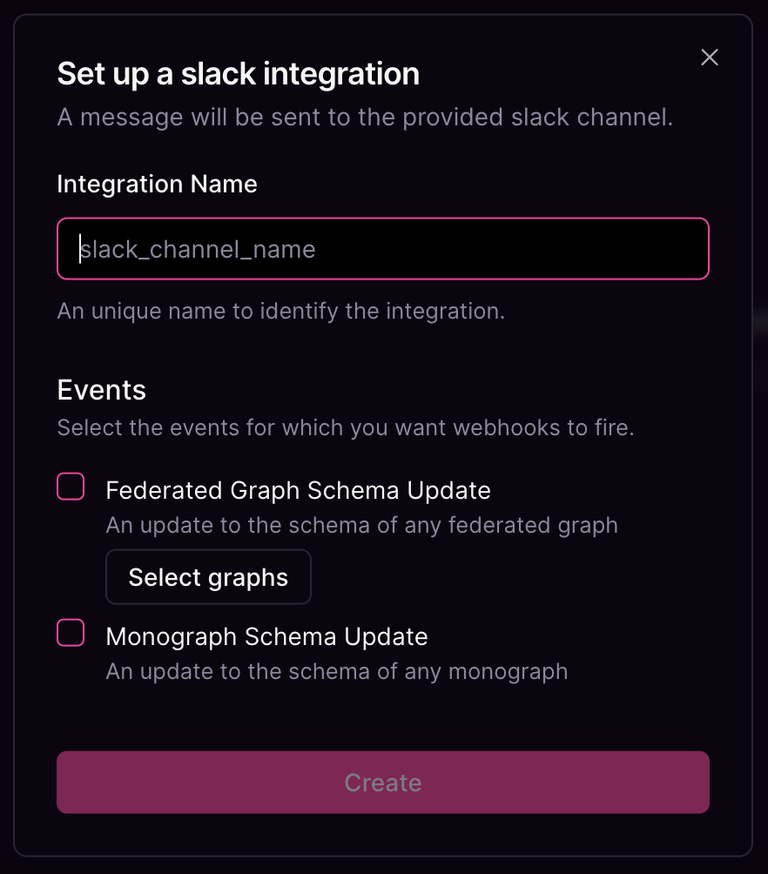
Create Slack Integration modal
6
Lastly, click on the "Create" button, and now your Slack integration is complete.