

How CDN Based Cache Warming Works
Cache warming operates by:- Identifying Slow Queries: Telemetry data is used to detect high-latency operations that could cause performance bottlenecks. The system prioritizes queries based on P90 latency measurements, ensuring that the slowest queries are targeted for warming.
- Building a Manifest: The system prioritizes the slowest queries and compiles them into a manifest for caching. This manifest is stored in the CDN and fetched whenever the router needs it.
- Precomputing Query Plans: The cache warmer precomputes and stores query plans in the router, ensuring immediate availability during peak traffic periods. This precomputing occurs at the start of the router, as well as whenever the router restarts due to a configuration update triggered by a subgraph publish.
Key Characteristics of CDN Cache Warming
CDN based cache warming has several important characteristics that distinguish it from the in-memory fallback cache: Advantages:- Works from the first router start: Unlike in-memory fallback, CDN cache warming provides immediate benefits from the moment the router starts for the first time, with no cold start period.
- Targets slow queries strategically: It focuses on a curated set of queries that have slow planning times (identified through telemetry) and queries that have been manually added, ensuring the most impactful optimizations.
- Catches infrequent but slow queries: Even less regularly occurring queries that are slow to plan will be precomputed on startup, preventing occasional latency spikes.
- Limited coverage: Fast-to-plan queries that occur frequently are not included in the CDN cache manifest, as they don’t benefit significantly from precomputation.
Configuration & Customization
Enabling Cache Warming
- The feature is available to enterprise customers via the Cosmo interface.
- Organizations can activate it at the namespace level to target specific workloads.
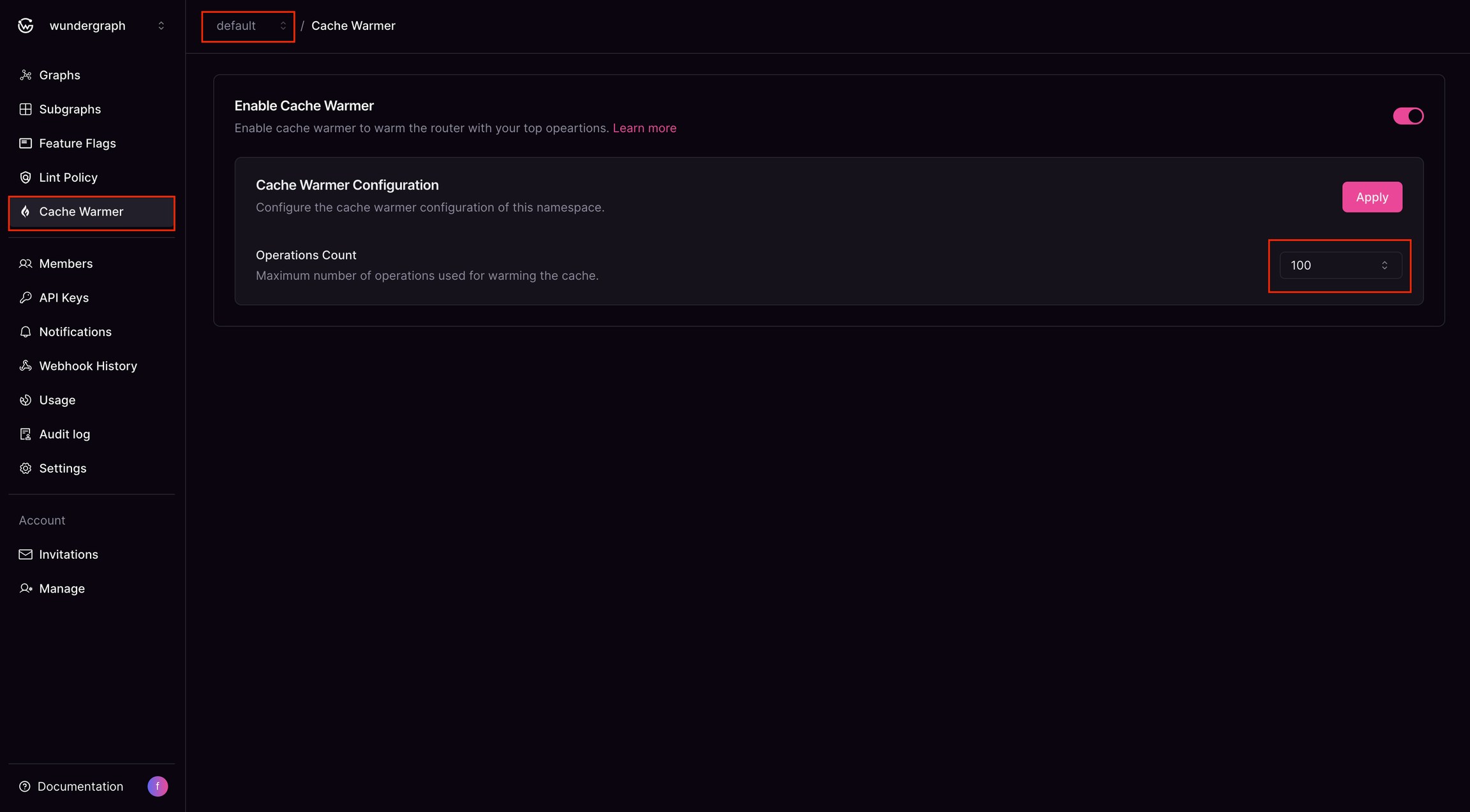
- Users can configure the maximum number of operations for cache warming.
- Operations are managed using a LIFO (Last-In, First-Out) policy, ensuring the latest operation is added while the oldest is removed once the limit is reached.
Router Configuration
To enable the cache warmer in the router, add the following configuration to your router configuration file:Customization Options
Manually Prioritized Operations Customers can add operations to the cache manually, ensuring critical queries are always warmed. It can be added using wgc.Manual Recompute from Studio
Users can manually recompute slow queries from the Cosmo Studio. Currently, recomputation only occurs when a manual operation is added or when the subgraph is published.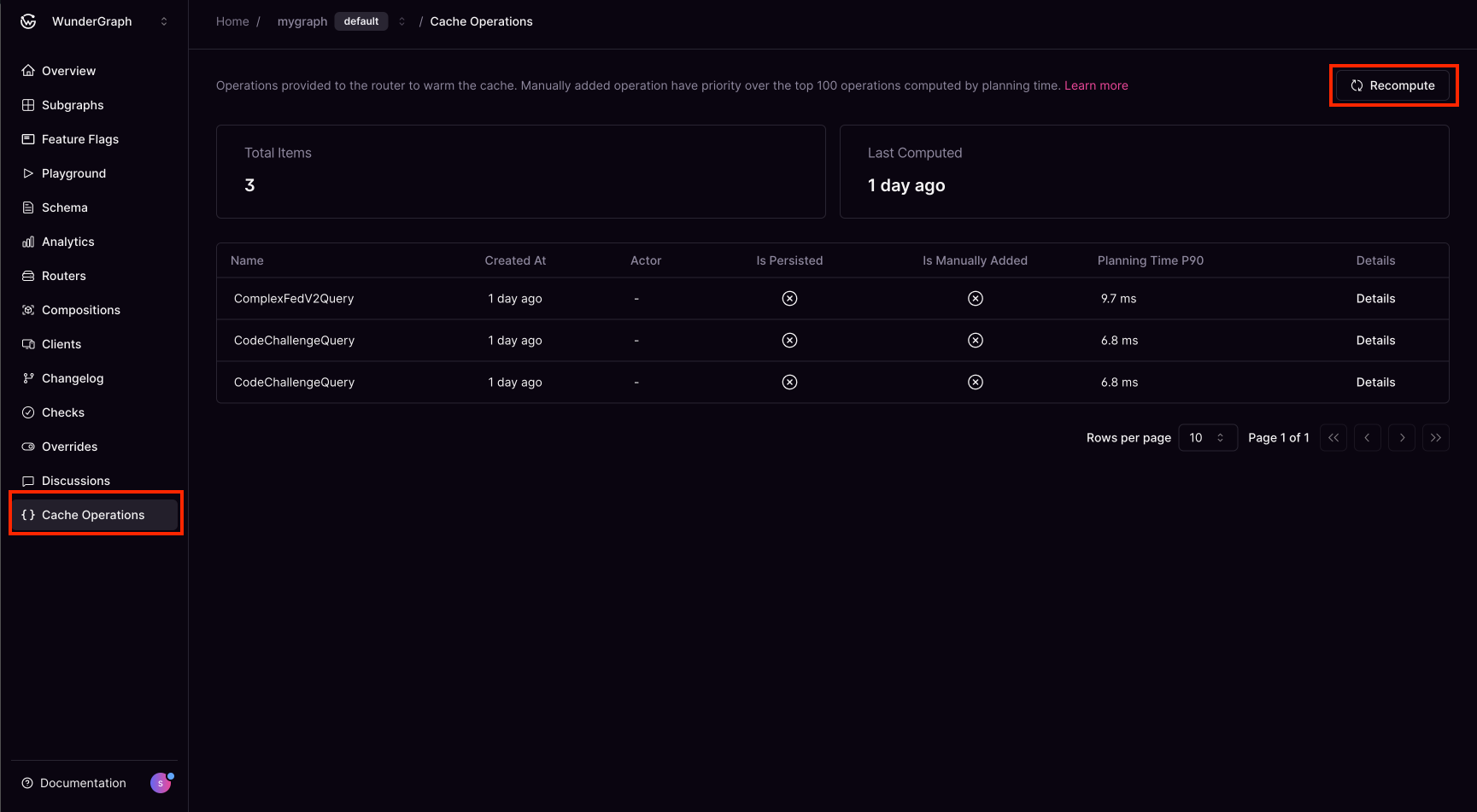
In-Memory Fallback Cache Warming
The in-memory fallback cache warming feature preserves the planner cache across hot config reloads and schema changes, allowing it to be rewarmed automatically and reducing latency spikes during restarts.How It Works
After the router has started, the router can be reloaded for two reasons: either a config change or a schema change. Due to the structure of the router internals, we have two slight variations on how we handle the in-memory switchover cache warming:- Before Reload: In case of config changes (from hot config reloading), the router extracts all queries from the current plan cache, preserving the queries that were in the planner cache before the cache is cleared for reloading.
- During Reload: The router with the updated config receives the queries from the previous plan cache that existed before reloading, and uses them to warm up its current plan cache before serving traffic.
- Result: The updated router reloads with a fully warmed cache, eliminating latency spikes that would normally occur during cold starts.
When to Use the In-Memory Fallback
The in-memory fallback can be used either as a fallback method or as a primary method for cache warming. This depends on the router configuration; the defaults provided by the router enable it as a fallback to the Cosmo Cloud CDN cache warmer, which is a feature that needs to be enabled explicitly in Cosmo. However, it can also be used as the primary method of rewarming the plan cache. When the in-memory fallback is used with the Cosmo Cloud CDN cache warmer, the fallback is triggered when either:- Getting the list of operations from the CDN fails
- The request to the CDN succeeds but does not return a list of operations (either no operations are cached or the manifest has not been created yet)
The in-memory fallback cannot be used as a fallback for sources other than the Cosmo Cloud CDN cache warmer.
Key Characteristics of In-Memory Fallback
Advantages:- Comprehensive coverage: After the initial start, all queries that have been executed are preserved and warmed on reload, including both slow and fast queries. This provides broader coverage than CDN cache warming.
- Eliminates reload spikes: You won’t experience query planning spikes after configuration or schema reloads, as the cache persists across these changes.
- Built-in feature: No enterprise plan required; it’s available to all users and enabled by default.
- Cold start on first start: The first router start will experience normal cache warming latency, as there’s no existing cache to preserve.
- Cache can accumulate stale entries: Without a full restart, the planner cache can eventually fill up with query plans for outdated or rarely-used queries. However, the cache uses a LFU (Least Frequently Used) eviction policy, ensuring that older, less-used items are removed when the cache reaches capacity.
Configuration
The in-memory fallback can be enabled as a fallback for the CDN cache warmer. To do this, ensure:- Cache warming is enabled in the router configuration (
cache_warmup.enabled: true) source.cdn.enabledis set totrue(this is true by default and does not need to be explicitly specified)in_memory_fallbackis set totrue(default)
- Cache warming is enabled in the router configuration (
cache_warmup.enabled: true) source.cdn.enabledis set tofalse(this needs to be specified explicitly, as the default is true)in_memory_fallbackis set totrue(default)