> ## Documentation Index
> Fetch the complete documentation index at: https://wundergraphinc-milinda-eng-8701-implement-cache-warmer-from.mintlify.site/llms.txt
> Use this file to discover all available pages before exploring further.

# Overrides

> Override the result of breaking changes in schema checks for individual operations which you deem are safe. Overrides are active across all graphs in a namespace.

## Configuring overrides

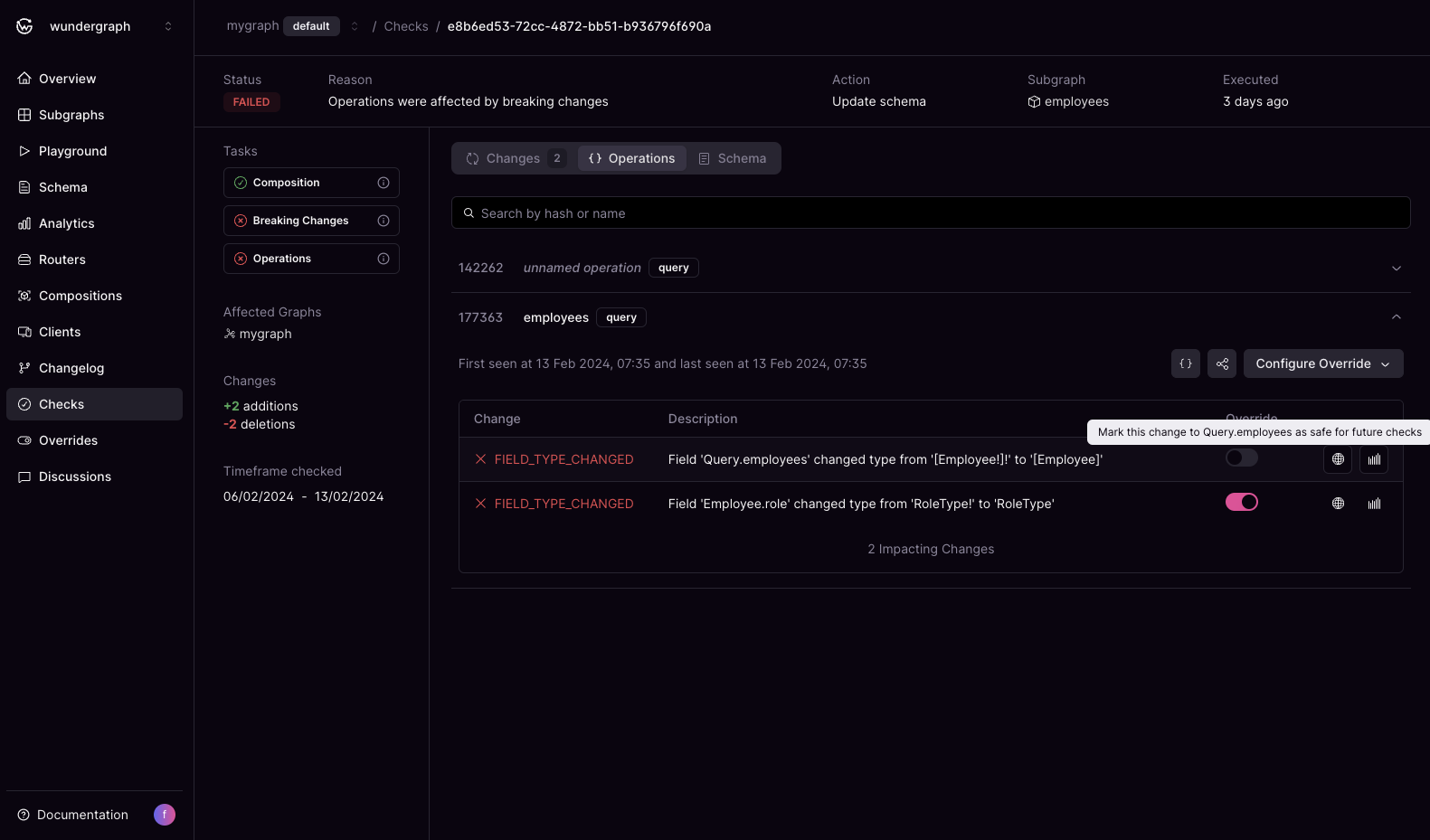
Whenever you run a check against a subgraph we detect breaking changes that affect various operations. On the check page, for each operation you can configure overrides whether they are safe or not.

<Info>
  Applying overrides will not change the outcome of the check run. Only future checks will take them into account.
</Info>

<Frame>
  <img src="https://mintcdn.com/wundergraphinc-milinda-eng-8701-implement-cache-warmer-from/BYdr4etcPmEDo3BF/images/studio/failed-schema-update-affecting-query-employees.png?fit=max&auto=format&n=BYdr4etcPmEDo3BF&q=85&s=083844e4c772fe6f56182c0fcec9250d" alt="Failed schema update with two changes, one affecting Query.employees field" title="Failed schema update affecting Query.employees" width="1581" height="929" data-path="images/studio/failed-schema-update-affecting-query-employees.png" />
</Frame>

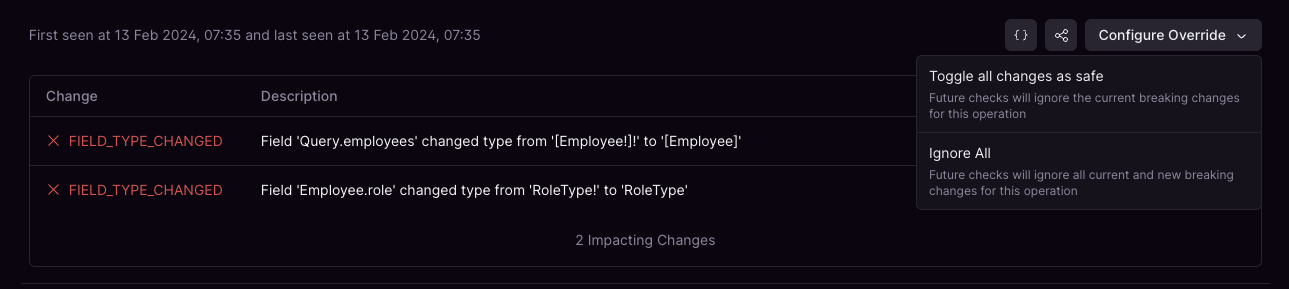
You can also toggle overrides for all changes in the click of a button. Setting `Ignore All` will consider all current and new breaking changes as safe for the operation.
<Frame>
  <img src="https://mintcdn.com/wundergraphinc-milinda-eng-8701-implement-cache-warmer-from/BYdr4etcPmEDo3BF/images/studio/field-type-changes-in-employees-and-roles.png?fit=max&auto=format&n=BYdr4etcPmEDo3BF&q=85&s=39cf6adf061c88a47cbac24faa4d9463" alt="Two field type changes: Query.employees and Employee.role updated to new types" title="Field type changes in employees and roles" width="1289" height="289" data-path="images/studio/field-type-changes-in-employees-and-roles.png" />
</Frame>

## Viewing all overrides

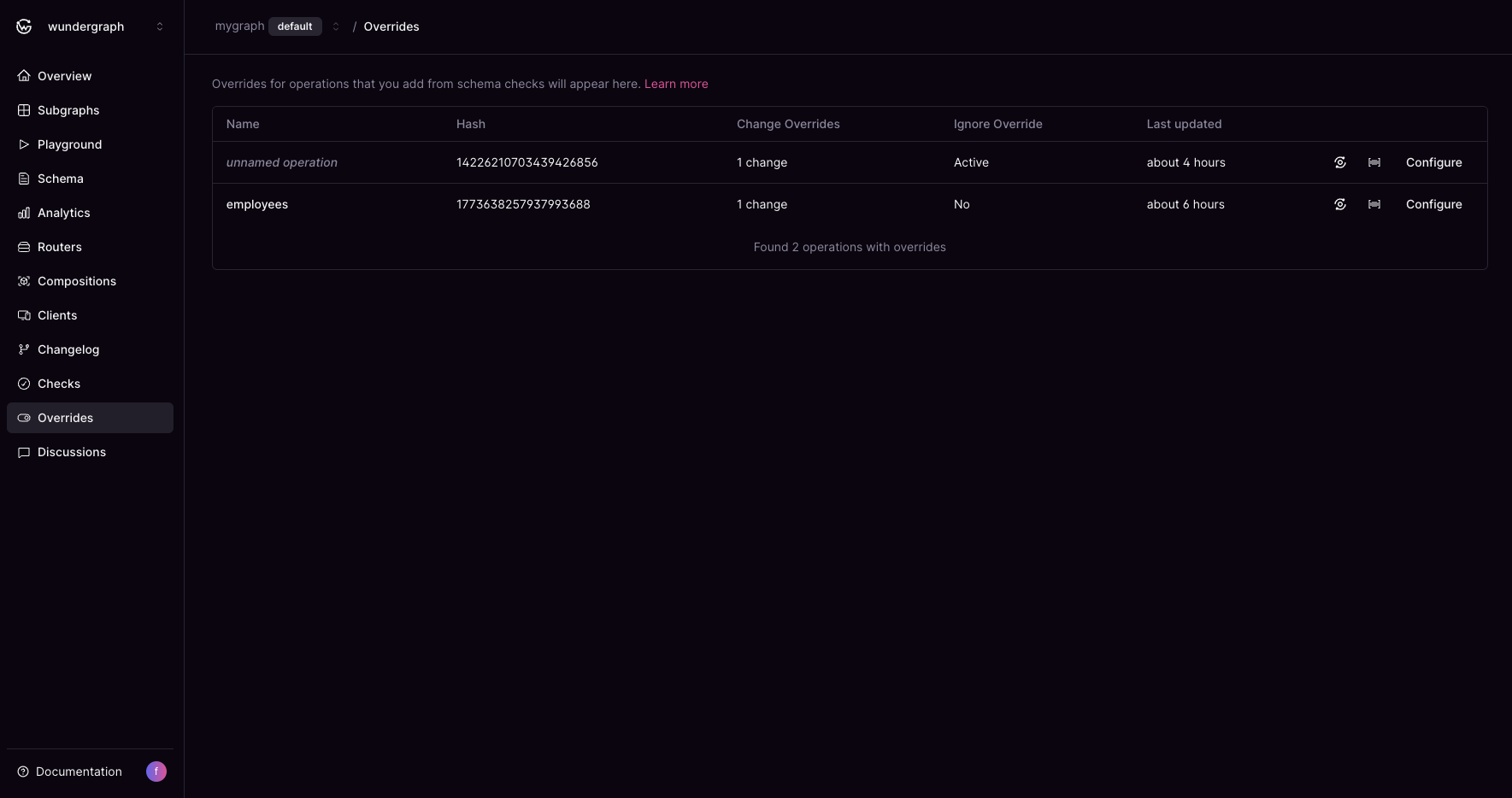
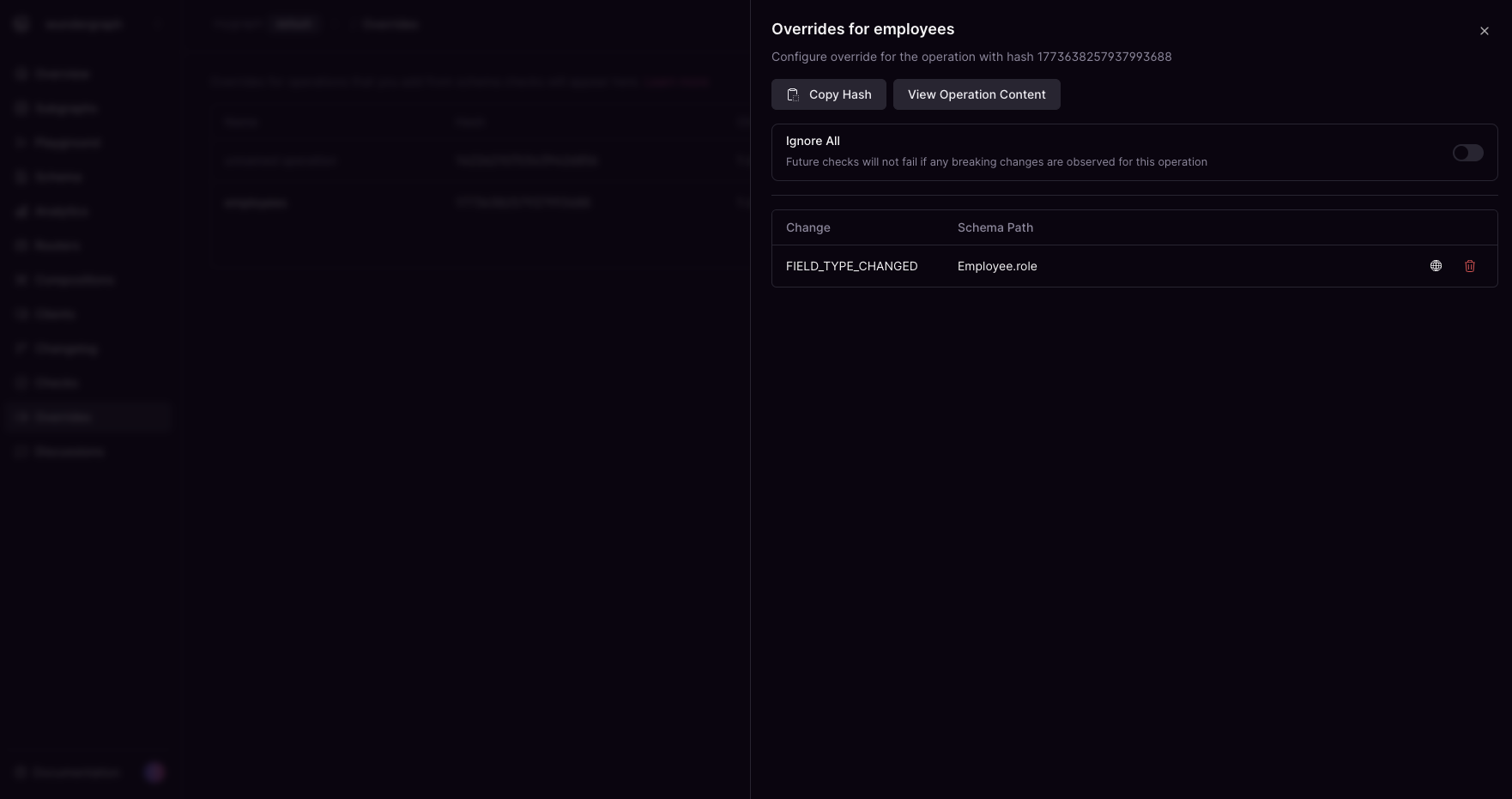
You can view all overrides in a single place. From here you can open the configuration to fine tune existing overrides or go to metrics/traces to check current usage.
<Frame>
  <img src="https://mintcdn.com/wundergraphinc-milinda-eng-8701-implement-cache-warmer-from/doXqP2u4hMNgVE5_/images/studio/operations-with-overrides-and-status-info.png?fit=max&auto=format&n=doXqP2u4hMNgVE5_&q=85&s=aa8d0f19e0d53af62a99382211a29b45" alt="Two operations with overrides showing timestamps and statuses in Cosmo Docs" title="Operations with overrides and status info" width="1769" height="934" data-path="images/studio/operations-with-overrides-and-status-info.png" />
</Frame>

<br />

<Frame>
  <img src="https://mintcdn.com/wundergraphinc-milinda-eng-8701-implement-cache-warmer-from/BYdr4etcPmEDo3BF/images/studio/employee-override-configuration.png?fit=max&auto=format&n=BYdr4etcPmEDo3BF&q=85&s=1aa8bc7076ff9085d1c45abd058f0aca" alt="Override configuration for employees with hash copy and view options in Cosmo Docs" title="Employee override configuration" width="1762" height="931" data-path="images/studio/employee-override-configuration.png" />
</Frame>
